
Welcome to Dave
Dave keeps the job, the paperwork, and the people working on it together. A client is the person or business you work for. A project is one job for that client.
Setting up your business
Start on the Dave website. Create your account and business, finish setup, and check your business details. Then:
- Create a project for a real job or a quote you’re preparing.
- Create an estimate and send it when you’re ready for the client to review it.
- Schedule the work and keep photos, files, and notes in the project’s logbook.
- Send an invoice and track payments on that invoice.
You can start with the step you need today. A job does not need an estimate before you can invoice it.
Coming from spreadsheets or another system?
You can reuse an estimate or invoice you already have. Attach an Excel (.xlsx), CSV, or PDF to Dave AI and ask it to recreate the document as a draft. Use AI Estimate Builder for the estimate you have open, or Ask Dave for help creating an estimate or invoice. Review the details before sending.
Bring your existing spreadsheet into Dave.
Joining someone else’s business
Open the invitation they sent to your email and follow the sign-in and acceptance steps. Use the email address they invited. The work you can see or change depends on the access your admin gives you.
Already set up? Sign into the mobile app with the same account. If it asks you to Continue on the web, complete the indicated setup or subscription step in your browser, then return and refresh.
Finding your way around
Use Home for recent projects and work that needs attention. Open Projects, Estimates, Invoices, Clients, Requests, or Schedule to browse that part of your business. On a phone, some destinations are in the navigation menu.
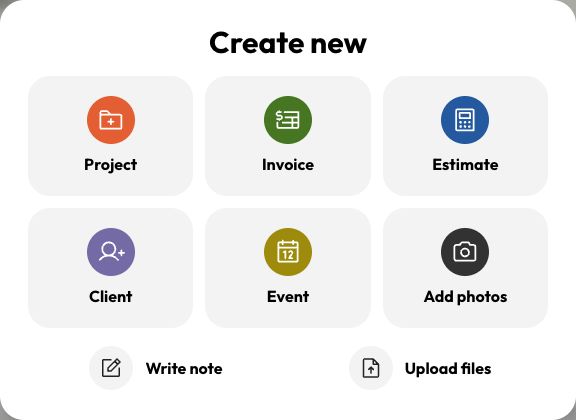
Use Create to start something new. If you’re already inside a project, its actions keep the new item connected to that job.
Last updated
Related articles
Still need a hand?
Tell us what you’re trying to do and where you got stuck.
Contact Dave support